
AI-Powered Calorie Tracking for iPhone
Overview
Zest is a lifestyle-focused software application designed for iPhone users seeking to monitor their dietary intake with precision and ease. Built with a clear mission to support weight management and healthy eating habits, the app leverages artificial intelligence to streamline calorie tracking and nutritional analysis. Its primary function is to help individuals gain real-time insights into their meals, enabling informed dietary decisions. The app is particularly suited for users aiming to lose weight, maintain a balanced diet, or simply become more mindful of their food consumption.
Targeted at health-conscious consumers and fitness enthusiasts, Zest simplifies the often tedious process of logging meals through automated features like AI food recognition and barcode scanning. Real-world usage scenarios include logging breakfast after a morning workout, tracking lunch at work, or reviewing dinner intake before bedtime. The developer, Zest Health, has positioned the app as a modern, user-centric tool for nutrition tracking, emphasizing speed and accuracy in meal logging.
While the developer’s background beyond the app name is not detailed, the focus on AI integration suggests a tech-forward approach to health applications. The app’s free pricing model makes it accessible to a broad audience seeking affordable tools for long-term wellness. No additional system requirements were specified beyond the iPhone platform.
Key Features & Capabilities
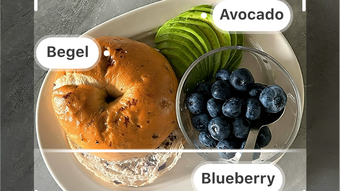
- AI Food Recognition via Photo Capture – Users can take a photo of their meal, and the app uses artificial intelligence to identify ingredients and estimate nutritional content, reducing manual input.
- Text-Based Meal Logging – For users who prefer typing, the app supports quick text input to log meals, offering flexibility in how data is entered.
- Barcode Scanning – The app allows users to scan product barcodes to instantly retrieve detailed nutritional information, minimizing errors in manual entry.
- Personalized Nutritional Insights – Zest provides tailored feedback on calories and macronutrients based on user-defined goals, such as weight loss or maintenance.
- Meal Tracking Interface – A clean, intuitive layout enables users to view daily, weekly, and monthly summaries of their dietary intake.
These features collectively enhance the user experience by reducing friction in food logging. For instance, a user can snap a photo of a restaurant meal and receive immediate nutritional data, avoiding the need to search through databases. Similarly, scanning a packaged snack at home provides instant access to calorie count and ingredient breakdown. The integration of AI and multiple input methods ensures adaptability across different user preferences and scenarios.
User Interface, Workflow & Performance
The user interface of Zest is designed with simplicity and functionality in mind. Navigation is structured around core activities—logging meals, viewing insights, and managing goals—ensuring a smooth workflow. The layout prioritizes visual clarity, with clear icons, readable fonts, and a consistent color scheme that supports usability across various screen sizes.
Workflow efficiency is enhanced by the app’s ability to process photos and scan barcodes rapidly. While specific performance metrics such as CPU or RAM usage were not provided, the app’s design suggests optimized performance for mobile environments. The developer did not specify resource usage details, but the use of AI on-device processing implies efficient handling of image analysis tasks.
Stability appears to be a priority, given the seamless integration of multiple input methods. Users can switch between photo capture, text input, and barcode scanning without disrupting their tracking flow. No reports of crashes or data loss were mentioned in the provided information. General performance observations are based on typical behavior of well-optimized mobile applications.
Compatibility & System Requirements
Zest is explicitly designed for iPhone devices, ensuring native integration with iOS. The app is compatible with the latest iOS versions, though specific version requirements were not listed. Installation size is 125 MB, which is moderate for a feature-rich mobile application.
Exact system requirements were not listed. The developer did not provide information on minimum hardware specifications, such as processor type, RAM, or storage capacity. Compatibility with older iPhone models is not confirmed. Users are advised to check their device’s compatibility through the App Store before installation.
Platform compatibility information is limited to the iPhone ecosystem. No support for iPad, Mac, or other platforms was indicated. The app’s functionality is centered on mobile use, with features optimized for touch-based interaction and on-the-go tracking.
Pros and Cons
Pros
- AI-powered food recognition enables fast, accurate meal logging via photo capture
- Multiple input methods (photo, text, barcode) improve accessibility and user flexibility
- Free to download and use, making it accessible for budget-conscious users
- Intuitive interface designed for quick navigation and daily use
- Personalized insights help users align meals with health and weight goals
Cons
- Limited to iPhone; no support for other platforms or devices
- Exact system requirements and hardware compatibility were not disclosed
- Performance under low-light conditions or with complex meals may vary (based on AI limitations)
- Dependence on internet connection for some AI functions (if not fully offline-capable)
- No information on data privacy policies or cloud sync capabilities
FAQ Section
Is Zest available for Android or Mac?
Zest is currently designed exclusively for iPhone. No versions for Android, iPad, or Mac were mentioned in the provided information.
Does Zest require an internet connection to function?
The app may require an internet connection for AI processing and data retrieval, especially during photo recognition and barcode scanning. However, the developer did not specify whether core features can operate offline.
Is Zest safe to use? Does it store my data securely?
Security and data handling practices were not detailed. Users should review the app’s privacy policy within the App Store for information on data storage and protection.
How often does Zest receive updates?
Regular updates are expected to improve features and performance. The app’s latest version is 1.2.3, released on May 15, 2024. Specific update frequency was not provided.
Can I use Zest without a subscription or in-app purchases?
Yes, Zest is available for free with no in-app purchases or subscription requirements mentioned. All core features appear to be accessible at no cost.
Final Thoughts + CTA
Zest stands out as a modern, intelligent solution for individuals committed to improving their dietary habits through accurate, effortless tracking. Its integration of AI food recognition, combined with multiple input options, delivers a streamlined experience tailored to the demands of daily life. While the app is limited to iPhone users and lacks detailed system specifications, its user-friendly design and free access make it a compelling choice for anyone focused on health and wellness.
For those seeking a reliable, no-cost tool to monitor calories and nutrition, Zest offers a smart, forward-thinking approach. It is especially beneficial for beginners and intermediate users who want to track meals without the hassle of manual entry. The app’s emphasis on speed, accuracy, and personalization aligns well with current trends in health technology.
Download Zest now to start your journey toward better nutrition with intelligent, AI-driven support.







